Tracking a green object by colour
A single OpenCV script follows a green object through a video using rules, with no learned model. Each frame is brightened and blurred, then masked in HSV around pure green. Contours that are too small are discarded. Each remaining contour is wrapped in a convex hull and its centroid is computed from image moments. The script then smooths the centroid path and plots it together with the per-frame speed.
- Python
- OpenCV
- NumPy
- Matplotlib
- HSV thresholding
- Image moments
Status: early learning project, a single script. The input video, the annotated output and the plots are committed to the repo.
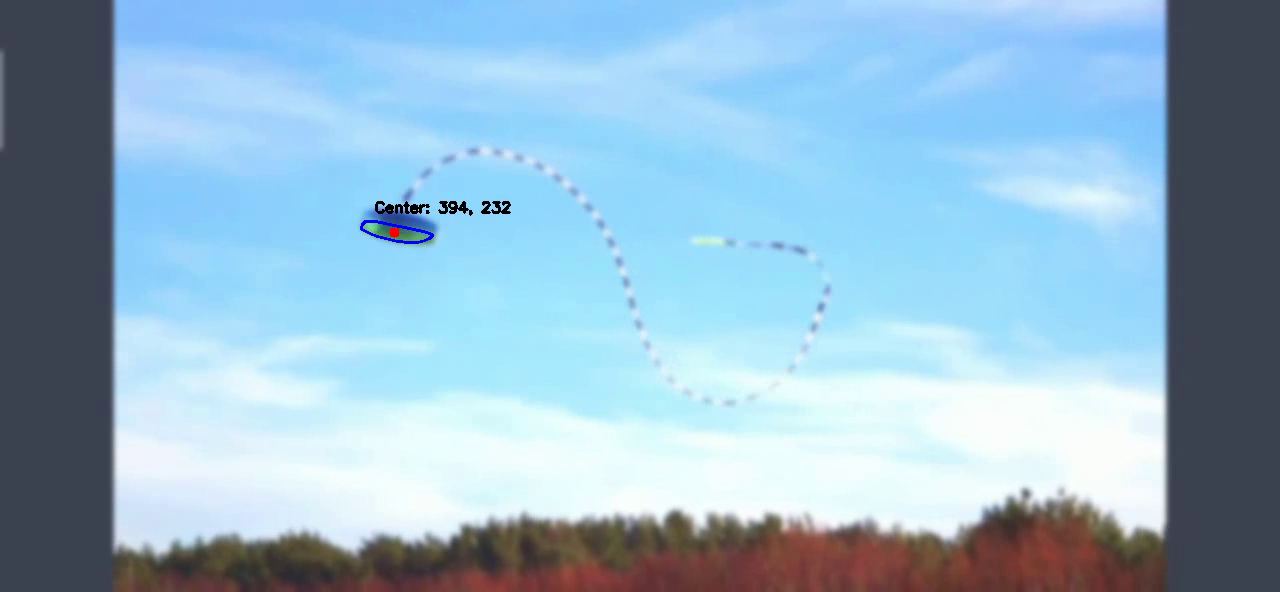
tracked_output.mp4, as written by the script (1280×592, 30 fps, 915 frames).01What it does
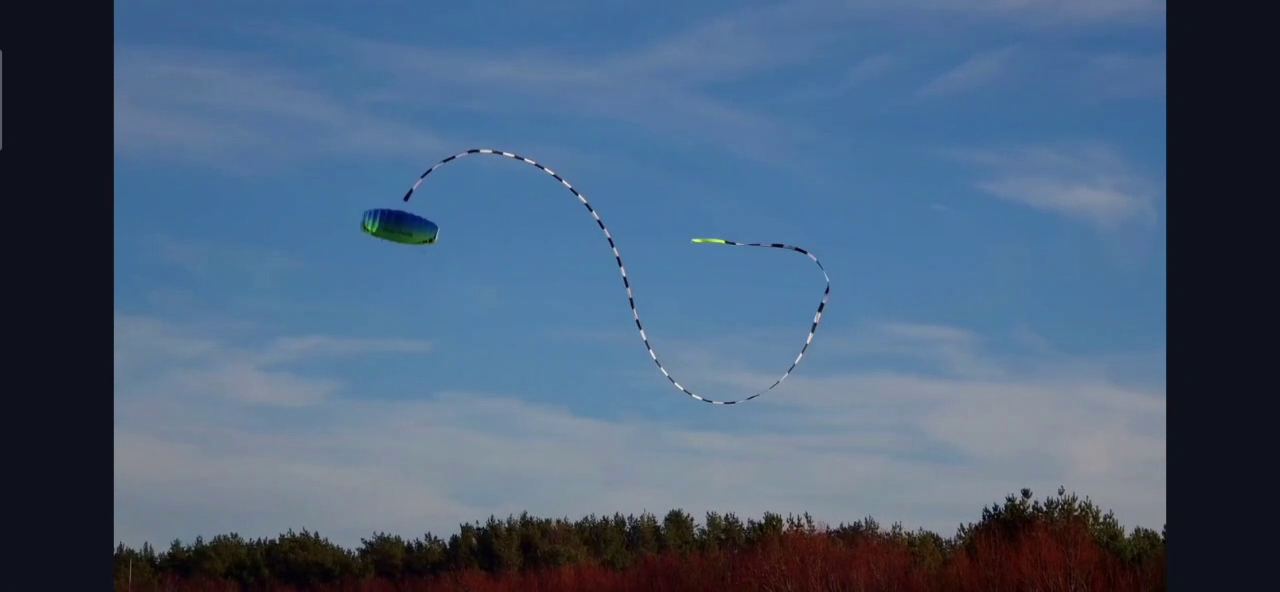
test_video.mp4.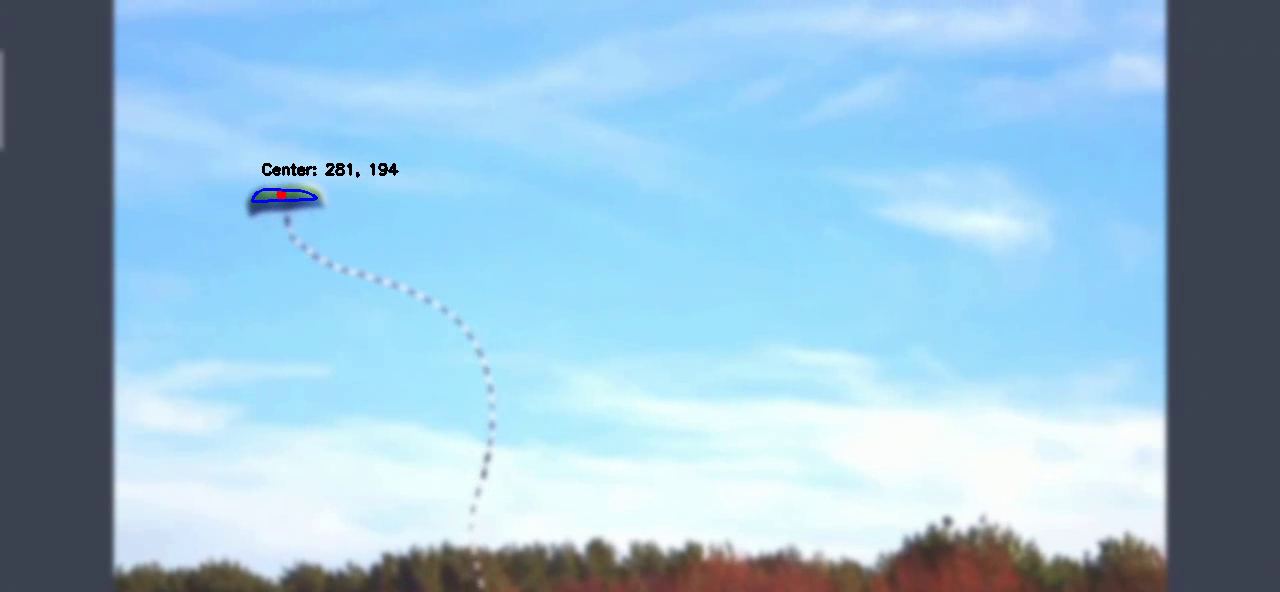
tracked_output.mp4.- convex hull (BGR 255,0,0)
- centroid, radius 5 px
- “Center: cx, cy” label
The script reads test_video.mp4 and writes tracked_output.mp4 with the overlays drawn on the processed (brightened and blurred) frames. While it runs, it also shows the tracking view and the binary mask in two windows. At the end it saves object_path.png and velocity_plot.png.
02How it works
Contrast and brightness
convertScaleAbsapplies g = αf + β with α = 1.5 and β = 40.Blur
A 15×15 Gaussian blur removes speckle noise before thresholding.
HSV mask
BGR (0,255,0) is converted to HSV, which gives a hue of 60. The mask keeps hue 60 ± 35 with saturation and value both between 100 and 255.
Contours
findContourswithRETR_EXTERNALfinds the outer contours. Any contour with an area of 290 px² or less is discarded.Convex hull
convexHullcloses gaps left by pixels the mask missed. The hull is drawn in blue.Centroid
The image moments give cx = m10/m00 and cy = m01/m00. These coordinates are added to the trajectory and labelled on the frame.
Smoothing
A moving average with a window of 21 smooths the x and y series (
np.convolve, modevalid).Speed
The script computes the Euclidean step between consecutive smoothed centroids, in pixels per frame.
vi = √((xi − xi−1)² + (yi − yi−1)²) [px / frame]; multiply by fps (30) for px / s
The README describes speed as fps × distance. The code leaves out the fps factor, so the plotted axis is in pixels per frame.
03Results
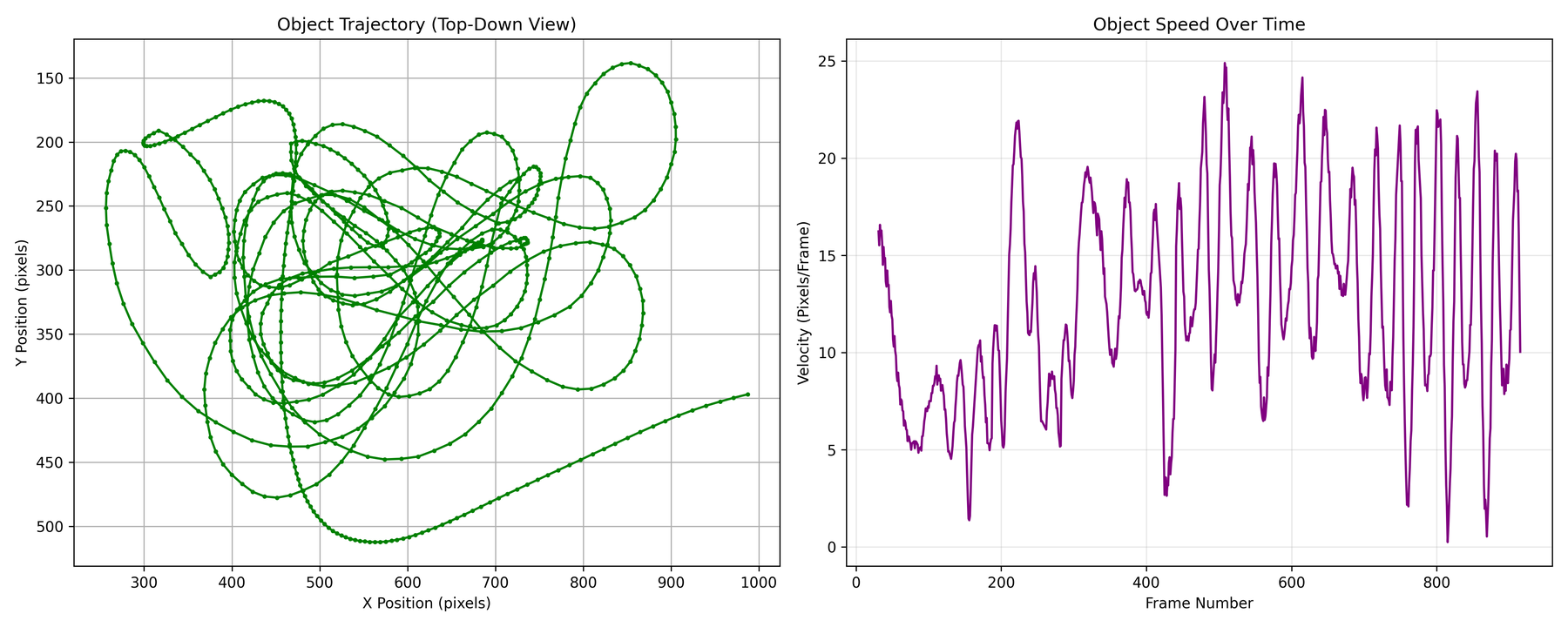
object_path.png from the repo, downscaled. Left: smoothed trajectory (top-down view, y axis inverted). Right: speed against frame number.| Quantity | Value | Where it comes from |
|---|---|---|
| Video | 1280×592, 30 fps, 915 frames | metadata of tracked_output.mp4 |
| Hue window | 60 ± 35 (OpenCV 0–180 scale) | get_limits(green) |
| Minimum contour area | 290 px² | code constant, tuned by hand |
| Smoothing window | 21 samples | code constant |
The repo has no ground-truth positions, so the tracking accuracy is not measured. The plots show the path and speed of the smoothed centroid only.
04Run it locally
The README does not list commands. The script reads test_video.mp4 from the working directory.
# clone and install
git clone https://github.com/Avinashistoocool/Object-tracking-with-color.git
cd Object-tracking-with-color
pip install opencv-python numpy matplotlib
# writes tracked_output.mp4, object_path.png, velocity_plot.png; press q to stop early
python color_based_tracking.py
05Limitations
- The hue range, the minimum area, α, β and the blur size were all tuned by hand for this one video. Changes in lighting or a different object colour will need new values.
- Every contour above the area threshold adds a centroid. If several green regions appear in a frame, their points are mixed into a single trajectory.
- The tracker has no motion model, such as a Kalman filter. When the object is occluded or leaves the mask, the trajectory has gaps.
- Speed is in pixels per frame. The script has no camera calibration, so it cannot report physical units.
- The README mentions an optical-flow project ("Project 2"), but the repo contains no code for it.
